
For furniture teams, not every client conversation needs a full virtual environment.
Sometimes the question is much simpler:
-
Will this chair work in the space?
-
Does this workstation feel like the right scale?
-
Can the client understand the size, shape, and presence of the product before making a decision?
Yulio's direct-to-AR sharing makes those conversations easier.
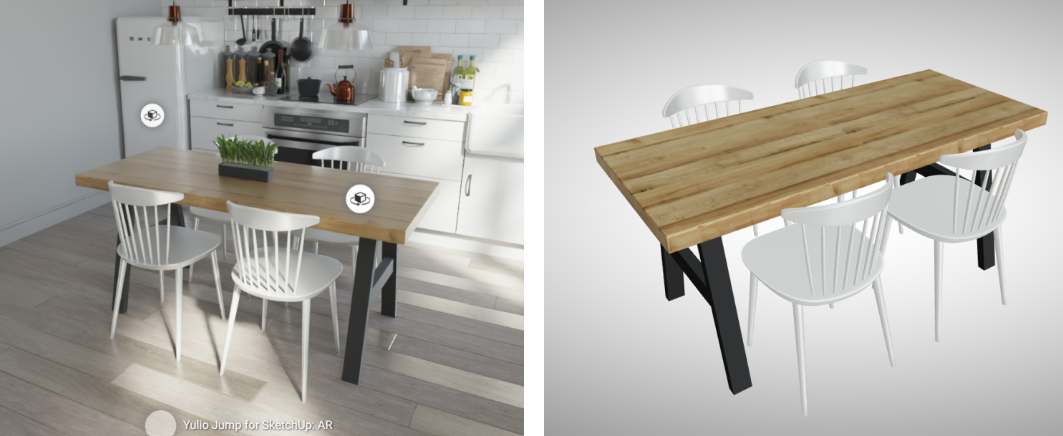
With this update, users can now share an individual AR model directly by URL or QR code. Instead of placing the model inside a full VR scene, you can send the AR object on its own, giving clients a faster way to view the product at scale.
Why this matters for furniture sales
Furniture presentations often move quickly. A client may already have a rendering, a layout, a product PDF, or a presentation deck in front of them. In those moments, building a full VR scene just to show one product can be more work than the conversation requires.
Direct-to-AR sharing gives furniture dealers, designers, and manufacturers a lighter option.
You can send the object itself.
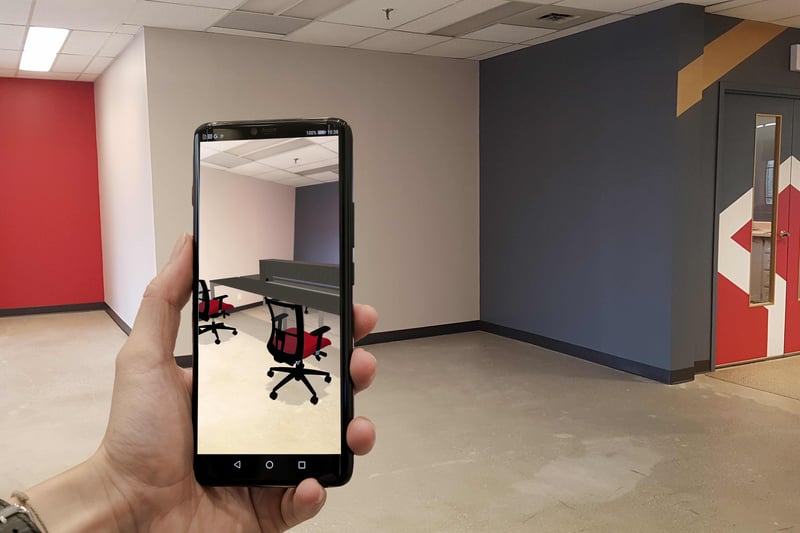
That means a client can view a product in AR without needing to open the full project environment. They can focus on the piece, understand its scale, and see how it feels in context.
For furniture teams, that can be especially useful when presenting:
-
Individual chairs, tables, desks, or workstations
-
Ancillary furniture options
-
Product alternates during revisions
-
Finish or configuration options
-
Manufacturer-specific models
-
Items from a CET-based workflow
- Products that need to be reviewed outside a full room scene
A simpler workflow for product-focused conversations
In Yulio, you can open the VR project that contains your AR model, go to the AR tab, and generate a QR code or direct URL for the model you want to share.
From there, the link can be sent to a client, added to an email, included in a PDF, placed in a presentation deck, or used during a live meeting.
This makes AR easier to include in everyday sales and design conversations. You are no longer limited to sharing AR only as part of a larger VR experience.
You can still build full VR scenes when the space matters. But when the product is the focus, direct-to-AR gives you a faster path.
A better fit for furniture presentations
Furniture clients often need to understand scale before they can feel confident. A static image can show the look of a product, but AR helps answer a different question:
How does this feel in the real world?
That matters when clients are comparing options, reviewing layouts, or trying to picture how a product will sit in their space.
Direct-to-AR sharing is especially helpful for teams who want to keep the conversation moving. Instead of spending time building an environment around every product, you can share the item directly and let the client review it on its own.
It is a practical way to make product conversations more visual without adding unnecessary production time.
When to use direct-to-AR sharing
Use direct-to-AR sharing when the object is the story.
For example, a furniture dealer could send a client a direct AR link to a workstation option after a planning meeting. A manufacturer could include QR codes in a product presentation. A designer could share a few alternate pieces for quick review before the next client call.
It also works well when you already have a strong rendering or sales deck and simply want to add a more interactive way for the client to understand a specific product.
The full VR scene is still valuable when you need to present the space, flow, adjacencies, and complete design story. But for product-first conversations, direct-to-AR keeps things simple.
Less environment. More product.
Furniture teams do not always need to build the whole room to make the point.
With Yulio’s direct-to-AR sharing, you can send clients straight to the object that matters. It is faster to prepare, easier to share, and more focused on the product decision in front of them.
For dealers, designers, and manufacturers, that means AR can become part of more everyday conversations, not just the big presentations.
Share the object. Show the scale. Help the client decide with more confidence.
Learn more about how it works: https://www.yulio.com/how-to-share-an-ar-model/