As we close out 2025, it is the perfect time to look back at the incredible strides we’ve made together. Recently, Nicole Lipari, one of our Client Success Specialists, hosted our final webinar of the year to highlight the major feature releases and updates that defined Yulio in 2025.
If you missed the webinar, don’t worry. We’ve put together a quick recap of every major update and feature launch that came to Yulio in 2025. We will also give you’re a look back at some of our digital events we hosted this year with some of our Yulio users who highlighted their work with the platform.
Finally we have a little sneak peek of what’s to come in 2026.
If you’d like you can watch the full webinar below, or read on to get the highlights!
A Increase to View Counts for all Users
We started the year with a massive update to your Yulio account structure. For years, the standard view limit was set at 1,500 views annually per seat. While this worked for many, we heard your feedback: you wanted to share your projects broadly without worrying about hitting a ceiling.
In 2025, we answered that call by increasing the limit to 10,000 views annually per seat.
For the vast majority of our users, this update effectively removes view limitations entirely. We are proud to offer unlimited cloud rendering and unlimited VR projects across all paid plans, and this adjustment ensures that your ability to share those projects is just as limitless. You can now distribute your designs freely, knowing you won’t need to purchase additional licenses just to accommodate high traffic.
Introducing Live Meeting for Collaborate
Collaborate has always been Yulio’s premier tool for guiding clients through a virtual space. It allows you to control the narrative, see what they see, and spotlight specific design details. Markup tools are included to ensure you don’t miss any feedback. However, communication previously required a third-party tool like Zoom or Teams running in the background.
This year, we launched Live Meeting. Live Meeting integrates audio and voice communication directly into the Collaborate session. You simply click the "Start Chat" button, and you can speak to and hear from your guests in real-time within the browser or headset. This works across all devices—smartphones, desktops, tablets, and VR headsets—provided they have a microphone and speaker. It creates a seamless, all-in-one presentation environment.
View by QR Code
One of the biggest hurdles in VR presentation has always been getting the "guest" into the headset. Previously, headsets had to be paired to a specific account or gallery to view a project.
In our soft launch of View by QR Code, we have removed those barriers.
Now, clients only need a Meta Quest headset (specifically the newer models like Quest 3 or 3S) and the free Yulio app. They do not need a Yulio account. You simply generate a QR code for your project or Collaborate session, and the client scans it with their headset to jump instantly into the experience.

Hardware Support: The Meta Quest 3S
While strictly a late-2024 update, the addition of support for the Meta Quest 3S has been a game-changer throughout 2025.
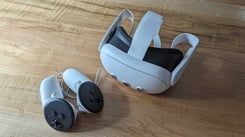
We believe VR should be accessible, and the Quest 3S offers a perfect balance of affordability and high-end performance. It supports the mobility required for on-the-go presentations and features a full-color camera, which is essential for mixed reality applications and our new View by QR Code feature.
Major Updates for Revit Users
A significant portion of our 2025 development focused on streamlining the workflow for our Revit users via the Yulio Jump plugin. Here is a breakdown of the new capabilities:
Self-Guided Onboarding
We introduced a new onboarding experience directly within the Revit plugin. This interactive guide walks users through the entire CAD-to-VR lifecycle using a sample project. It is perfect for new users learning the ropes or for teams looking to onboard colleagues without needing to schedule a manual training session.
Multi-Floorplan Navigation
Architects have long requested easier ways to navigate multi-story buildings. In the past, creating a multi-floor experience meant manually exporting floorplans and dragging-and-dropping hotspots in the Yulio editor.
We have now automated this process. You can select up to 10 floorplans to export directly from Revit. Yulio automates the location markers, linking the floors and scenes together during the rendering process. This saves hours of manual setup time.
Enscape Compatibility
We improved the workflow for designers who love the look of Enscape renders but need the presentation power of Yulio. You can now upload Enscape-generated 360 panoramas directly into the Yulio plugin in Revit. Yulio takes those renders, applies navigation hotspots, floorplans, and AR enhancements, and publishes a shareable VR link. You get the visual style you prefer with the immersive delivery Yulio is known for.
Send to Headset
Speed is critical during the design phase. We added a Send to Headset button in the plugin. When selected, your project automatically pushes to any headsets connected to your account the moment it finishes rendering. This allows designers to validate their work in VR immediately, without waiting for manual downloads.
Render Pipeline Improvements
Under the hood, we’ve made significant enhancements to the Yulio Jump render engine. You’ll notice better handling of complex textures and materials, as well as improved stability for projects with linked sub-projects or complex camera settings. Plus, we added in-app notifications in Revit to let you know exactly when your project is ready.
A Look Ahead: What’s Coming in 2026?
Nicole wrapped up the webinar with an exclusive sneak peek at our roadmap for the coming year. While we are keeping some secrets, here is what you can expect in 2026.
For Revit Users:
Visual Fidelity: We are continuing to invest in our render engine, with a specific focus on significant improvements to lighting quality.
Project Updates: We are working on a "Update Project" function. Currently, if you change a scene in Revit, you have to render a new project and swap the scenes manually. In 2026, you will be able to update an existing Yulio project directly from Revit, drastically smoothing out the iterative design process.
For SketchUp and CET Users:
Self-Guided Onboarding: The successful onboarding tool from Revit will be coming to SketchUp.
Enscape & Native Compatibility: We are expanding the external renderer workflow. Both SketchUp and CET users will soon be able to upload renders from Enscape (or CET Native renderers) directly into the Yulio extension. This gives you the freedom to choose your rendering engine while keeping the ease of the Yulio publishing workflow.
Digital Event Highlights
This year we held several online sessions where Regiane Laveli, our sales team manager, had a chance to sit down with several Yulio users from the Architecture and Design Industry. In these sessions our users have got to share with us the impact that Yulio and VR has had in their businesses. They offered some real-life examples of VR success and how they are continuing to integrate the technology.
April - Winning More Projects with VR: A Business Case for Architects – A discussion with Ian Hall
In April, Regiane sat down for an interview with Yulio CPO, Ian Hall, and broke down the business impact of VR, including:
- How immersive presentations speed up client approvals
- Real-world metrics on time and cost savings
- Why firms using VR win more competitive bids
- How to start using VR with minimal setup
Whether you're skeptical or ready to dive in, this session was a great chance to get some practical insights on leveraging VR for real business results
June - Design. Present. Impress: Architectural Success Stories in VR
Hear directly from an industry leader, Nethra Ram Mohan, about how VR impacts design workflows, improves client communication, and delivers measurable ROI for architecture firms.
In this session, we explored real-world examples of when VR brought the most value to the design process, the stages where it had the greatest impact, and how clients reacted when they experience a project in full immersion for the first time.
In this session, we covered:
- How HKS uses VR to transform its design and presentation workflows
- Where VR delivers the strongest ROI in the design process
- How VR presentations drive deeper client engagement and faster decisions
- Real-world examples of immersive collaboration in action
- Tips for integrating VR seamlessly into your architectural practice
September - Yulio VR and the Power of Presentations - A Live Discussion of VR Success
In this session, Regiane sat down with Victor Herrera from Gensler. They discussed the impact Yulio VR has had on Victor's work with the design team at Gensler and the success it has brought to the team in their conversations and presentations with clients.
November - Virtual Reality in Architecture: Transforming Projects into Experiences
In this online event, Regiane sat down with Victor M Lima, a Brazilian civil engineer and architect, Director of Digital Practice at Diamond Schmitt Architects in Toronto, Canada.
During this session, we covered:
- How companies abroad are already using virtual reality to accelerate their workflows
- How much ROI virtual reality delivers when used
- How presenting projects with virtual reality increases client engagement and streamlines decision-making
Thank You for a Great Year
2025 has been a year of growth, specifically driven by the feedback we receive from you, our customers. Whether it was the request for higher view counts, better multi-floor navigation, or support for the latest headsets, your input shapes our roadmap.
We are thrilled to close the chapter on 2025 and can’t wait to show you what we have in store for 2026.
Ready to try these features? Log in to your Yulio account today to test out the new View by QR Code or explore the updated Revit plugin. If you have questions about any of the features mentioned above, please reach out to our Client Success team—we’d love to help you get the most out of your subscription.


.png?width=245&height=150&name=yulio%202024%20Recap%20(1).png)