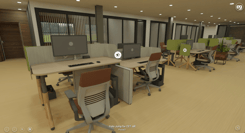
Master the art of seamless VR presentations by optimizing VR Headset comfort for your clients, ensuring every immersive design review leaves a lasting positive impression.
Preparing Your VR Hardware for Client Success
The landscape of VR hardware has transformed dramatically since 2018, making client presentations more accessible and comfortable than ever before. Early tethered headsets like the HTC Vive and Oculus Rift required complex setup with external sensors and powerful PCs, creating logistical challenges for client meetings. Today's standalone headsets, particularly the Meta Quest series, including the Quest 3S, have revolutionized the presentation experience with wireless freedom, simplified setup, and improved ergonomics.
Before any client presentation, ensure your VR hardware is fully charged and updated with the latest firmware. Modern headsets typically offer 2-3 hours of battery life, sufficient for multiple presentations, but keeping a portable charging solution on hand provides peace of mind. Download all VR projects to the headset for offline viewing—this eliminates dependency on Wi-Fi connectivity and ensures smooth, uninterrupted experiences. Yulio's headset management tools make it easy to pre-load projects and manage content across multiple devices, particularly valuable when presenting to groups or at off-site locations.
Optimizing Headset Fit and Adjustments for Different Users
Proper headset fit is the foundation of comfortable VR experiences and directly impacts how clients perceive your presentation. Unlike earlier headsets that required extensive adjustment and often felt front-heavy, modern VR devices feature improved weight distribution and intuitive adjustment mechanisms. The Meta Quest 3S, for example, incorporates a more balanced design that reduces facial pressure and accommodates a wider range of head sizes and shapes.
Begin by adjusting the interpupillary distance (IPD) to match each client's eyes—this setting significantly affects visual clarity and reduces eye strain. Most contemporary headsets offer either continuous IPD adjustment or three preset positions. Ask clients if the image appears clear and sharp; blurry visuals are often the result of incorrect IPD settings rather than the content itself. Next, position the headset so the lenses align with the center of their eyes, then secure the head straps. The goal is firm but gentle contact—the headset should feel stable without creating pressure points on the forehead or cheeks.
For clients who wear glasses, modern VR headsets have made significant strides in accommodation. Many devices now include adjustable lens depth or spacer inserts that create additional room for eyewear. Always ask about glasses before fitting the headset and adjust accordingly. Some frequent VR users invest in prescription lens inserts, which might be worthwhile if you conduct regular client presentations. Take time with each adjustment—rushing this process often leads to discomfort that distracts from your design presentation. Remember, a client experiencing pressure headaches or visual distortion won't fully appreciate your immersive architectural visualization.

Creating a Comfortable Physical Environment for VR Sessions
The physical space where VR presentations occur matters as much as the virtual environment you're showcasing. Since 2018, the shift from room-scale tethered setups to standalone headsets has dramatically simplified space requirements, but environmental considerations remain crucial. Ensure your presentation area is well-lit but not excessively bright—natural or moderate artificial lighting helps clients feel oriented when removing the headset, reducing the jarring transition between virtual and physical spaces.
Clear a safe zone of at least 6x6 feet around the client, free from furniture, equipment, or tripping hazards. While most architectural presentations involve stationary viewing rather than active movement, clients may instinctively reach out to 'touch' design elements or take a step forward for closer inspection. Modern VR headsets include guardian systems that display boundaries when users approach the edge of the safe zone, but prevention is always preferable to intervention. Position a comfortable chair within the space—many clients prefer seated VR experiences, particularly during extended presentations or when viewing multiple design options.
Setting Client Expectations and Minimizing Motion Discomfort
Motion sickness, or simulator sickness, was a more prevalent concern with early VR technology. Since 2018, improvements in display refresh rates (now typically 90Hz or higher), reduced latency, and better motion tracking have substantially decreased discomfort. However, individual sensitivity varies, and proactive communication helps clients feel at ease. Before the presentation, briefly explain what they'll experience and how to signal if they need a break. This simple step reduces anxiety, particularly for clients new to VR.
Frame your VR presentation as an enhancement to traditional design reviews, not a replacement. Let clients know they can remove the headset at any time and that shorter, focused sessions are often more effective than extended immersions. For architectural and interior design presentations, static or slow-moving experiences typically cause minimal discomfort compared to gaming applications with rapid motion. Yulio's platform specializes in these stationary, scene-based presentations where clients teleport between viewpoints rather than experiencing continuous movement, significantly reducing motion sickness risk.
If a client does experience discomfort, respond with empathy and immediately transition to alternative presentation methods. The flexibility to seamlessly switch between VR, screen sharing via Yulio's Collaborate livestream, or traditional renderings ensures every client can engage with your designs comfortably, regardless of their VR tolerance.
Best Practices for Facilitating Extended VR Presentations
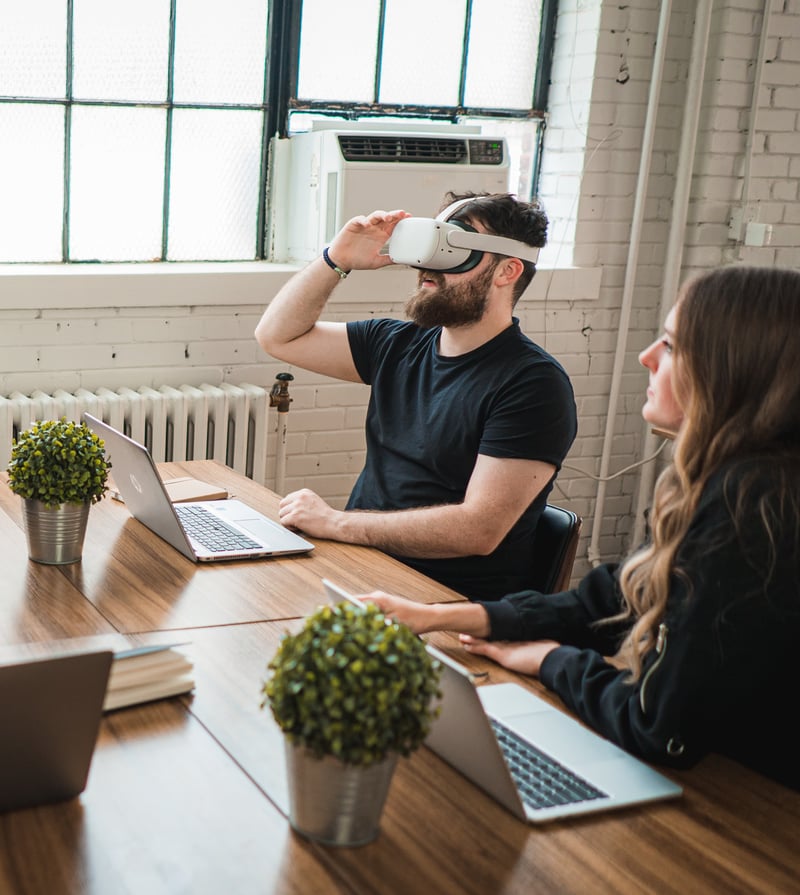
Extended VR sessions require deliberate pacing and structure to maintain client comfort and engagement. While modern headsets have dramatically improved ergonomics since the heavier, less balanced devices of 2018, even the most comfortable hardware benefits from strategic breaks. Plan your presentation in 10-15 minute segments with natural transition points where clients can remove the headset, discuss what they've seen, and process the information. This rhythm prevents fatigue and actually enhances decision-making by allowing clients to mentally integrate the immersive experience.
Leverage Yulio's enhancement features strategically throughout extended presentations. Hotspots with text, images, audio, and video provide contextual information without requiring verbal explanation, allowing clients to explore at their own pace. This reduces the need for constant verbal guidance, which can be tiring for both presenter and client during longer sessions. The Collaborate livestream feature enables you to see exactly what clients are viewing in real-time, allowing you to guide them through complex designs without them needing to describe what they're seeing—this 'see-what-they-see' capability streamlines communication and reduces the cognitive load on clients.